 VibeSearch
Maya Okafor @mayabuilds
Spent a weekend rebuilding my bookmarks as a tiny search engine. The 9 tools I actually use, with prices.
Right-click to save anything. A search engine that lives inside your browser finds it by meaning, reads the text in your screenshots, and keeps working with the wifi off.
Found by meaning The video never says “thing”. It was found by what it means.

Salt the water like the sea: the 4 minute pasta lesson
…salt the water till it tastes like the sea…

Why you should save your pasta water
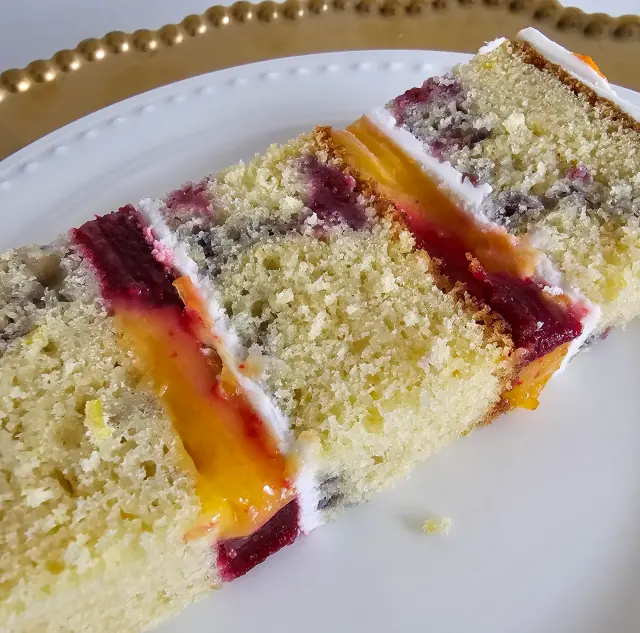
The only birthday cake recipe you need
Example library · 4,218 saves Offline. Nothing left this computer.
Not the page you were on: the post, the video, the quote, the image. On 18 sites it knows exactly what you pointed at, even in the middle of a feed.
Maya Okafor @mayabuilds
Spent a weekend rebuilding my bookmarks as a tiny search engine. The 9 tools I actually use, with prices.
Dev Patel @devpatel
Three CSS tricks I wish I had known sooner. The third one deleted 200 lines of my stylesheet.
Lena Hoffmann @lenaruns
Sunrise 10k along the river. Slowest pace of the year, best run of the year.

Posts, videos, repos, threads and products come back with the right author, words and media. On every other page it reads the page’s own metadata, so you still get the real title and image.
Command on a Mac. Rebind any of them in your browser’s shortcut settings. A small note on the page confirms each save, with Undo.
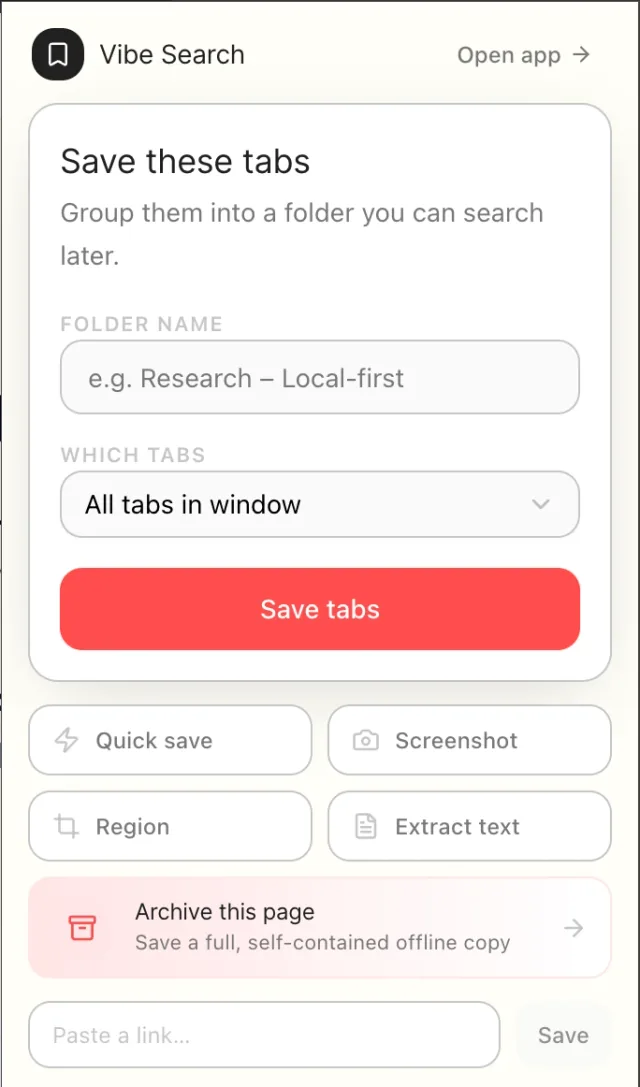
Every open tab goes into a folder you name, ready to search. Or paste a link, grab a screenshot, or archive the page from the same popup.
Capture any part of any page. The text inside the box is read and becomes searchable.
A full, self-contained copy. It still opens after the site changes or disappears.
The right-click menu lists your spaces and folders, with the ones you use most on top.
Most search boxes match letters. This one also matches meaning, typos and sound, all at once, then weighs them into a single ranking. Meaning counts most, so a lucky keyword never beats the thing you actually meant.

Relevance0.7 × meaning 0.38 + 0.3 × words 0.92 = 0.00
Top result
Kubernetes explained in 100 seconds
A small search language for power users. Type a filter and it turns into a chip you can read, edit or remove. It suggests fields and values as you type, so there is nothing to memorise. Put a minus in front of anything to leave it out.
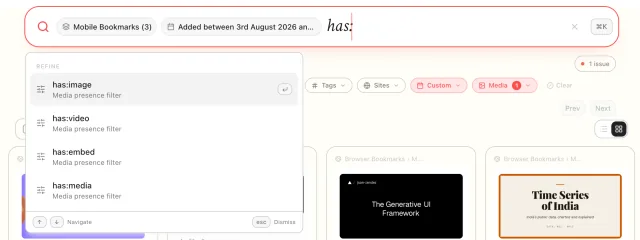
source:redditadded:last30dhas:videolikes:>=1000-tag:archived(pytorch OR jax)sort:updatedAt desc/privateScreenshots, photos of whiteboards, receipts, slides. VibeSearch finds every line of text inside them and makes it searchable, by the exact words and by what they mean. Nothing is uploaded to be read.
Saved. Waiting its turn.
PaddleOCR’s PP-OCRv6 runs two models: one finds the lines, one reads them. Both run in WebAssembly, downloaded once and cached for good.
The reader runs in its own sealed sandbox page. It gets the picture, hands back text, and touches nothing else.
Text it reads is folded into the save and the save is re-understood, so “where do I park” finds the chat about the bakery.
Right-click a picture on any page and pick Extract text from image. Low-confidence lines are dropped, so you get the words, not the noise.
Search companies run this in data centers: an AI model, a vector database, a keyword index and a text reader. VibeSearch fits all of it inside your browser, and none of it needs a server. Here is one search, start to finish.
17.7milliseconds
Start to finish, on your own computer. No request left the building.

Typical timings on a laptop, for an example library of 4,218 saves. The very first search after the browser starts also loads the model.
Total, about 18 milliseconds.
The models download once, the first time they’re needed, and stay cached. After that, everything here works with the wifi off.
A browser extension lives under strict rules: the background can be shut down at any second, and code isn’t allowed to do whatever it likes. So VibeSearch is split into four parts that each work within those rules, and four helpers that keep heavy work off the screen you’re using.
What you see
Never touch your data directly. They ask, and render the answer.
Query worker · parses every keystrokeThe switchboard
Owns menus, shortcuts and screenshots, and passes requests to the brain. Holds no data, because the browser can stop it whenever it likes.
The brain
Database, keyword index, vector store and every background queue. Stays alive while the switchboard comes and goes.
The locks between rooms
The reader
The text reader needs rules the rest of the extension is never given, so it gets its own walled-off page and only ever sees a picture.
The engineering under the search box, one piece at a time.
Every save becomes 768 numbers, about 3 KB, packed into one file in your browser’s private storage. New saves are added to the end and never rewritten. Searching scans it straight from memory: exact results, nothing approximated, and no index to build or corrupt.
56 49 42 45Magic“VIBE”01 00 00 00Version100 03 00 00Dimensions7687A 10 00 00Saves4,218Similarity one multiply-add per number. No square roots, because every vector is already unit length.
AI models slow down sharply when long and short texts share a batch, because the short ones get padded to the longest. VibeSearch sorts every import by length and feeds the model small, even batches, so a huge import stays light on memory.
Imports and searches share one model with two queues. Yours always goes first, so search stays instant while five thousand bookmarks are still being read.
Every few hours the vector file is rebuilt to drop what you deleted. Before touching anything it writes down what it is about to do. If the browser dies mid-way, the next start reads that note and rolls back, or rebuilds from scratch. It never shows results from a half-finished file.
Four background jobs carry every save from saved to searchable. Each one remembers where it stopped, retries what failed with growing pauses, and picks up again after a browser restart.
Changes are gathered for a fraction of a second and sent as one update, so the page redraws once instead of five thousand times.
Your whole bookmark tree and every GitHub star come in with one click each. Titles and previews fill themselves in, and everything is searchable the moment it’s read.
Browser bookmarks
1,284 bookmarks, every folder kept, all searchable
Import again any time. It updates what changed instead of making copies.
GitHub stars
ollama/ollama 142ktldraw/tldraw 38.1kexcalidraw/excalidraw 97.4kpmndrs/zustand 52.6k249 starred repos, with their star counts
Search likes:>=10000 to find the big ones. Unstar a repo and it leaves your library on the next import.
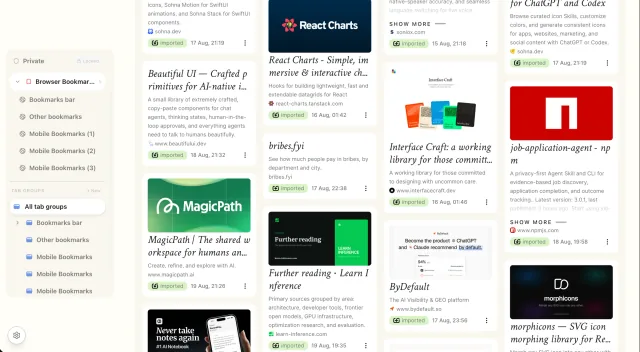
Nest them as deep as you like. A library of thousands still makes sense.
Rename, recolour and favourite them. Filter by any of them in a word.
Press O and drag saves between folders and spaces.
Deleted something by mistake? It waits a month before it’s gone.
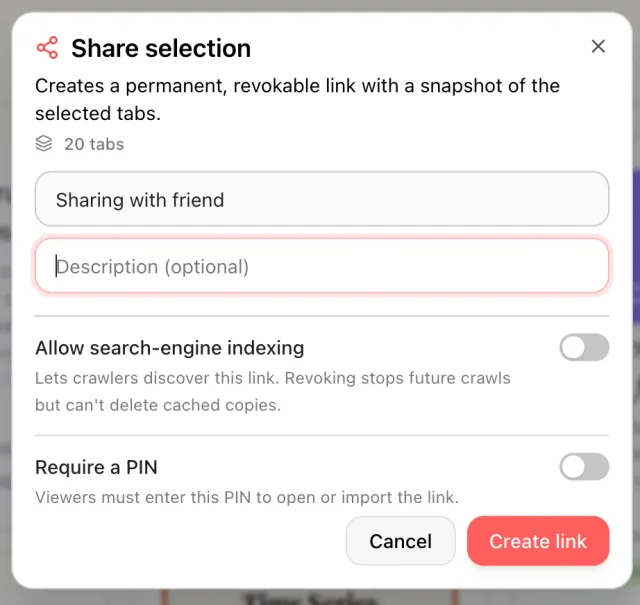
Pick a folder, a space or a handful of saves. Your friend opens a page they can browse, or imports the lot into their own VibeSearch with one click.
No account, no server holding your saves, no one reading your searches. The search engine runs where your data already is.
Stays on your computer
Turn the wifi off. All of this keeps working.
Leaves only to do a job
Put a password on any space. It locks itself after five quiet minutes and stays out of every search until you open it again. Forget the password and your recovery questions get you back in.
The password itself is never stored, only a salted fingerprint stretched 180,000 times.
Back up to a file, to your own Google Drive, or to a Google Sheet you can read. Restoring merges with what’s there, so running it twice never makes duplicates.

One click from your browser’s store.
Keep the V next to your address bar.
On any page. That’s your first save.
Yes. No account, no trial, no cap on how much you save. VibeSearch, the paid app, adds your phone and more, but the extension never needs it.
Saving, searching and reading images all work offline once the models have downloaded. A link’s title and preview fill in when you’re back online.
Chrome, Brave and Firefox 142 or newer. Reading text inside images needs Chrome or Brave. Everything else works in all three.
No. The heavy work runs on background threads in small batches, and your searches always go first. You won’t feel it running.
The extension is small. The first time it needs them, it downloads its AI models once and keeps them cached, so it never downloads them again.
Yes, your whole bookmark tree and your GitHub stars, one click each. Folders come across as they are, and importing again updates instead of duplicating.
Want it on your phone too?
The full app adds your phone, search inside videos, notes that sync, and one-click imports from X, Reddit and Instagram. One library, on every device.
$39 to start, then $7.50 a month.
See VibeSearch